
What Happens After Someone Comments, Messages, or Fills Out Your Form?
Visibility creates opportunity. A simple CRM and follow-up process make sure that opportunity does not disappear inside a crowded inbox.
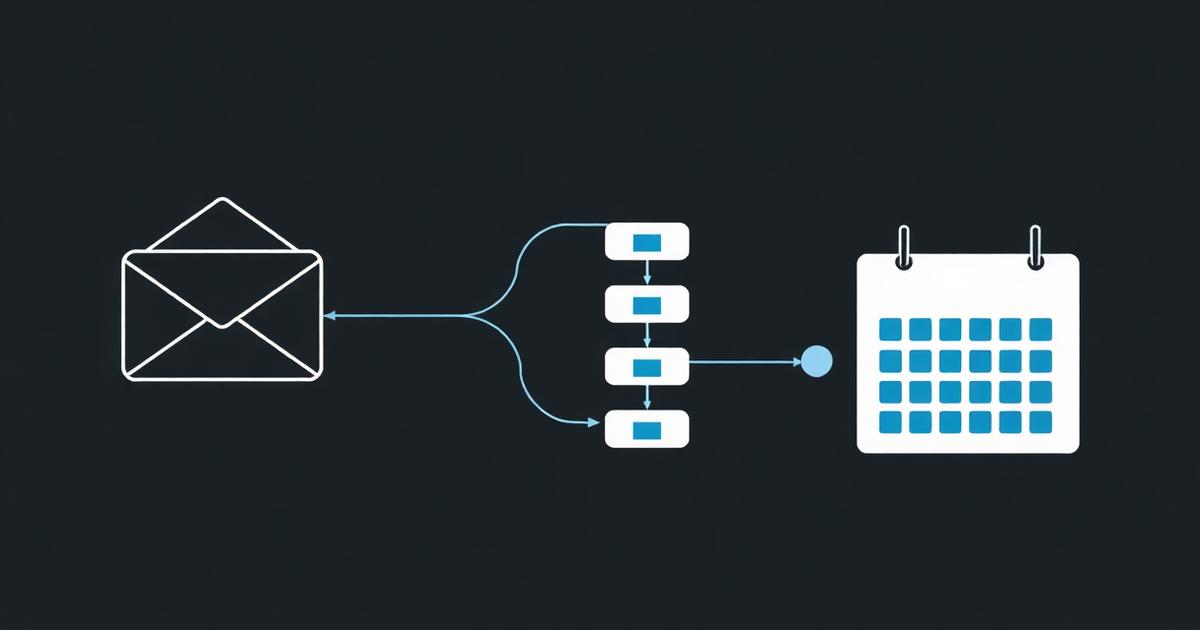
A potential customer sees your post, clicks to your profile, asks a question, fills out a form, or calls after hours. That moment is what most businesses say they want from marketing.
But getting attention is only the beginning. The real question is what happens next.
A lead is not lost only when someone says no. It is also lost when nobody responds, the conversation is forgotten, or the next step is unclear.
Where local business leads commonly get lost
Most businesses do not intentionally ignore potential customers. Leads get lost because information is spread across too many places.
- Facebook and Instagram direct messages
- Website forms
- Text messages
- Missed calls and voicemail
- Personal email inboxes
- Online booking tools
- Paper notes or spreadsheets
When each channel is managed separately, the business depends on individual memory. Someone must remember which inquiry needs a reply, who requested pricing, who booked, who missed an appointment, and who should be contacted again next week.
The first-response gap
Customers often contact several businesses at once. A delayed response does not always mean the lead is no longer interested. It may simply mean another business answered first.
A basic automated acknowledgment can confirm that the message was received and explain when the customer should expect a personal response. It should not pretend to replace a real conversation, but it can prevent silence.
The follow-up gap
A lead may ask for information but not book immediately. Without a clear follow-up task or sequence, that conversation disappears beneath newer messages.
Follow-up does not need to be aggressive. It can be a helpful reminder, an answer to a common question, a booking link, or a quick check-in.
The handoff gap
Problems also happen when more than one person handles leads. A front-desk team member may answer the first question, a salesperson may provide details, and a manager may need to approve an exception. Without shared notes and ownership, the customer repeats information or receives conflicting answers.
What a CRM should do for a local business
A CRM is a customer relationship management system. That description can sound complicated, but the practical purpose is simple: keep customer information, conversations, next steps, and follow-up organized.
A useful CRM should help your team answer four questions quickly:
- Who is this person?
- What have they asked about?
- Where are they in the process?
- What needs to happen next?
Unified conversations
A shared inbox can bring calls, texts, emails, social messages, and web inquiries into one place. Team members can see what has already been said instead of searching several platforms.
Contact records
Each contact can have notes, tags, appointment history, communication records, and relevant details. This gives the team context before responding.
Opportunity pipelines
A pipeline gives leads a visible stage, such as New Inquiry, Contacted, Appointment Booked, No Show, Proposal Sent, or Closed. The exact stages should match the way the business actually sells.
Calendars and reminders
Booking calendars make it easier for customers to choose an available time. Confirmations and reminders can reduce confusion and missed appointments.
Forms, surveys, and funnels
Lead-capture tools collect the information your team needs and route it to the right place. A good form should ask enough to prepare the conversation without making the customer complete an unnecessary interview.
Simple automations
Automation is useful when it handles predictable steps: confirming a form submission, assigning a lead, creating a task, applying a tag, sending an appointment reminder, or requesting a review after service.
The goal of automation. Use automation to prevent dropped steps, not to remove every human interaction from the customer experience.
What a CRM should not do
A CRM should not create more complexity than the problem it is solving. Businesses often purchase a powerful system, build too many workflows at once, and then stop using it because nobody understands what is happening.
Avoid these common mistakes:
- Building automations before defining the real customer process
- Creating too many pipeline stages
- Sending long automated sequences without a clear purpose
- Collecting data the team never uses
- Giving everyone access without assigning responsibility
- Treating the CRM as a substitute for training
Start with the smallest system that prevents leads from being missed. Add complexity only when the team is consistently using the basics.
Platform access and implementation support are different
Two businesses can use the same CRM and need completely different levels of support.
Some owners want full platform access and guidance. They are comfortable building their own forms, pipelines, workflows, and campaigns once they understand the tools. Other businesses want ongoing help creating and improving those systems.
That is the difference between Amplify CRM Essentials and Amplify CRM Plus:
Amplify CRM Essentials
Essentials is designed for businesses that want full platform access with initial setup guidance and minimal ongoing support. We teach you how to use the system, answer technical questions, and guide the process. Your team is responsible for building and maintaining its ongoing systems.
Amplify CRM Plus
Plus includes the same platform access with ongoing implementation support within a reasonable monthly scope. Our team can help build and improve workflows, forms, funnels, pipelines, contact organization, campaigns, documents, products, and other CRM systems.
Neither option should be presented as unlimited labor. Large migrations, complete rebuilds, custom software development, or unusually complex projects may require separate scoping.
A practical follow-up example
Imagine someone completes a website form to ask about a service. A simple process could look like this:
- The contact is added to the CRM and tagged by service interest.
- The lead enters the New Inquiry stage of the pipeline.
- The customer receives a short confirmation that the request was received.
- The appropriate team member receives a notification and task.
- If the person books, the opportunity moves to Appointment Booked.
- The customer receives confirmation and reminder messages.
- If the customer does not book, a helpful follow-up task is created.
This process is not flashy. That is the point. It creates visibility, ownership, and fewer opportunities for a lead to disappear.
Before you add more leads, fix the path they follow
Businesses often assume they need more marketing when the immediate issue is what happens after interest is created. Increasing lead flow into a disorganized process can create more missed calls, unanswered messages, and frustrated customers.
Before spending more on traffic, make sure your team can see new opportunities, respond consistently, track progress, and follow up.
Marketing creates the opening. Your follow-up system determines whether that opening becomes a conversation, appointment, and customer.
Ready when you are
Turn the ideas in this article into a working plan.